
Troubleshooting Issues with Your Google Reviews Widget
Having trouble with your Google Reviews widget? Don’t worry — this guide covers the most common issues, why they happen, and how to fix them quickly.
Find your issue below and follow the recommended solution.
Common Issues
🔗 Connection Issues
I Can’t Find My Business in Search
If you run an online or service-area business without a public address, it may not appear in the widget search:
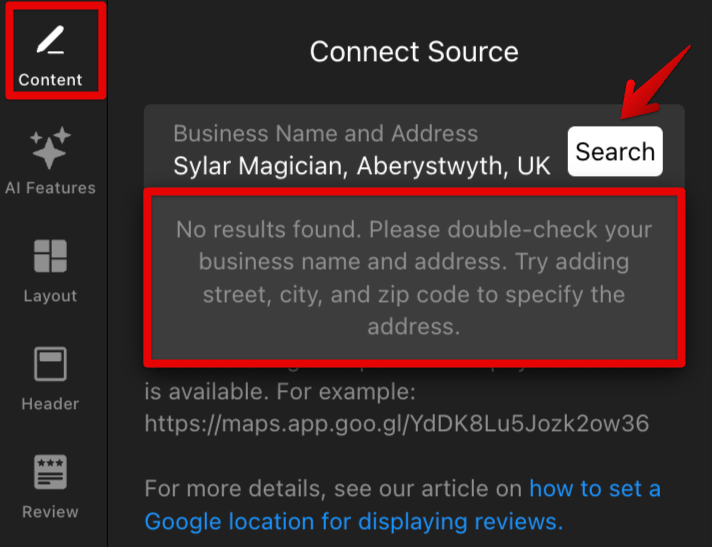
To resolve this, open Google Maps and search for your business (by name or website). Once found, use this guide to connect your reviews: Adding Reviews Using Google Maps Share Link.
Review Collection Is Stuck
If you see the message The reviews are being collected, please wait for a few minutes, your reviews are still being processed.
Initial collection can take some time depending on the review source. If the message remains, try deleting the source and adding it again. If that doesn’t help, contact our Support team.
I See Reviews from a Different Business
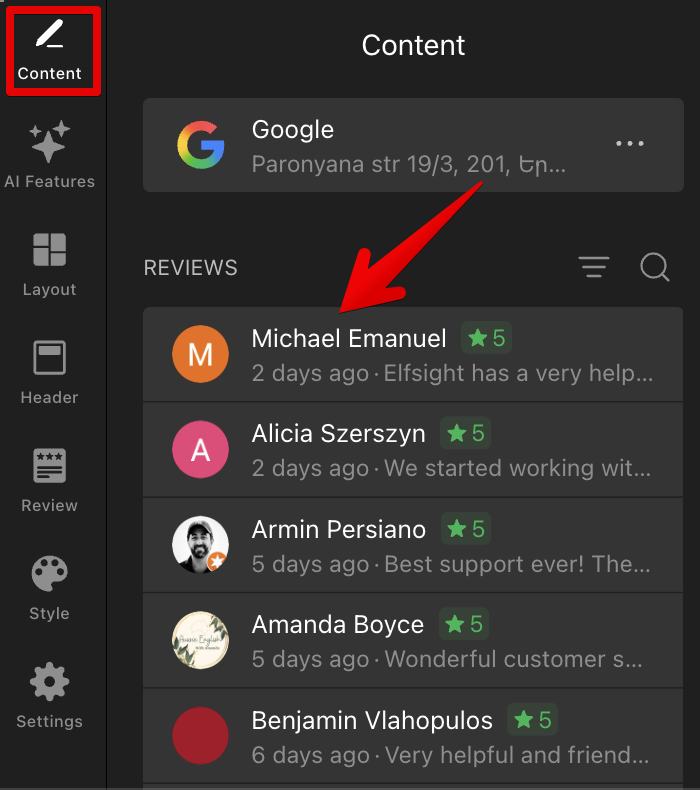
New widgets display demo reviews by default. If you see another business’s reviews, you either haven’t added your business yet or haven’t published the latest changes.
To fix this, open the widget editor and check whether your reviews appear under the Content tab:
Click Publish in the top right corner to apply the changes to your live website:
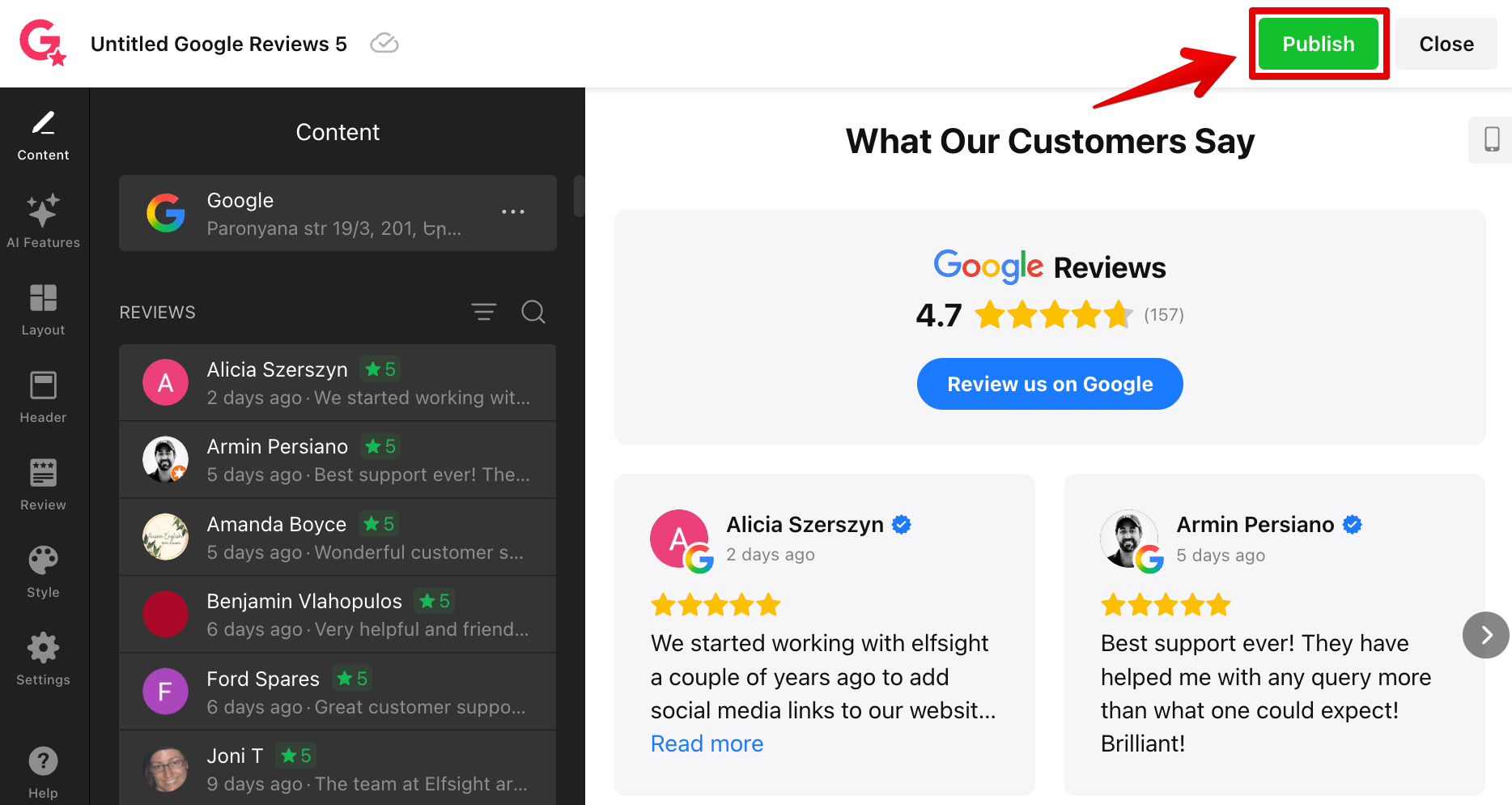
Once done, refresh your website page — your business reviews should now appear instead of the demo content.
⭐ Review Display Issues
My Widget Isn’t Showing on My Website
If your Google Reviews widget isn’t visible on the website, the issue is usually related to installation, widget status, browser extensions, or CSP restrictions.
For troubleshooting steps and solutions, see Why My Widget Isn’t Displayed on My Website.
My New Review Doesn’t Appear
If a new Google review was recently posted but doesn’t appear in your widget yet, it's usually due to the update cache.
The widget updates reviews automatically, but new reviews can take up to 72 hours to appear after being posted on Google. For more details, see Why My Reviews Are Not Being Updated.
I Don’t See All of My Reviews
The widget initially collects up to 100 of your most recent Google reviews. Older reviews outside this limit may not appear in the widget.
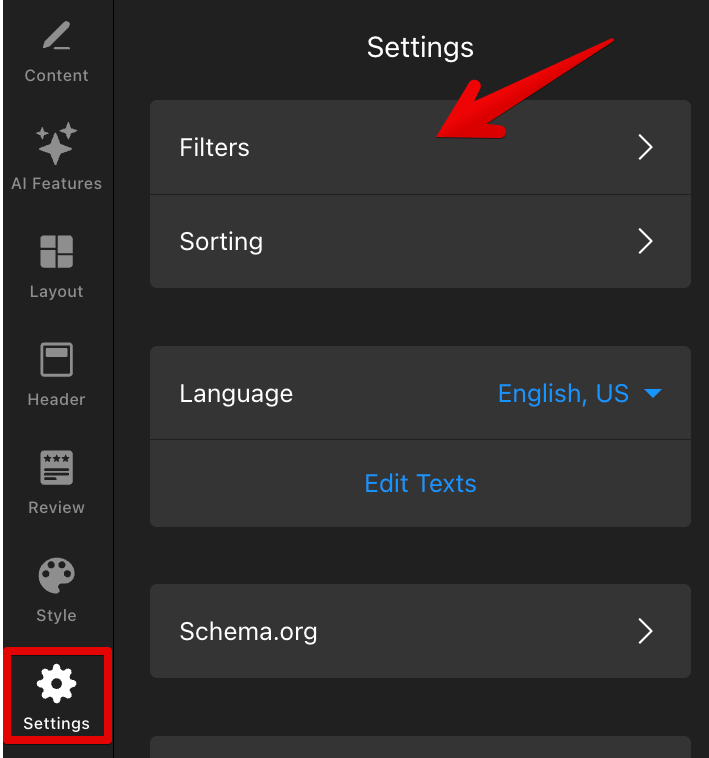
You may also see fewer reviews because of the active Filters, such as Minimum Rating or “Show reviews only with text”. You can check this under Settings → Filters:
To learn more, see Filtering Reviews: How to Include or Exclude Content.
🛠️ Schema Issues
My Rich Snippet Doesn’t Show in Google Search
If your star rating or review snippet doesn't appear in Google Search results, it doesn't always mean something is broken. Google decides independently whether to show rich snippets and doesn't guarantee them for every website.
For a full explanation and troubleshooting steps, see Why My Rich Snippet Doesn’t Show Up in Google Search.
My Schema Markup Isn’t Detected in Rich Results Test
If Google’s Rich Results Test doesn't detect your schema markup, it's usually caused by your website settings or plugins interfering with the widget schema.
For detailed solutions and platform-specific fixes, see Why My Schema Markup Isn’t Detected.
Still need help? Please contact our Support team and include:
- Your Google business link or Google Maps profile link
- Your widget ID
- A short description of the issue
- Screenshots or screen recordings if possible
This will help us investigate the issue faster and provide the best solution 🚀