
Why My Countdown Timer Isn’t Showing
Can’t see your Countdown Timer widget on your website? Most often, it’s either hidden by timer settings or manually closed. Follow the steps below to identify and resolve the issue.
Troubleshooting steps
1. Check What Happens After the Countdown Ends
If the countdown has already finished, the widget may be set to hide or redirect instead of remaining visible. You can check which countdown-end action is selected by navigating to the Actions tab → After Countdown Ends:

If the countdown has ended and the action is set to Hide Timer or Redirect to URL, the timer will no longer appear on your site.
To keep the timer visible after it ends, click the three dots (...) → Change Action and choose Message to set the text you’d like to display: 
2. Check Start Date (Countdown to Date Timers Only)
If you’re using a Countdown to Date timer and the start date is in the future, the widget may be intentionally hidden before the countdown begins.
In the Timer tab, verify your start date and check whether the option Hide Widget Before Countdown Starts is enabled:  If this option is activated and the start date hasn’t arrived yet, the timer will not appear on your site. Disable it if you want the timer to be visible before the countdown starts.
3. Check if the Widget Was Closed (Bar Layouts Only)
If your timer uses a Top Bar, Bottom Bar, or Static Top Bar layout, visitors can close it by clicking the Close (X) button. Once closed, the widget remains hidden for that user:
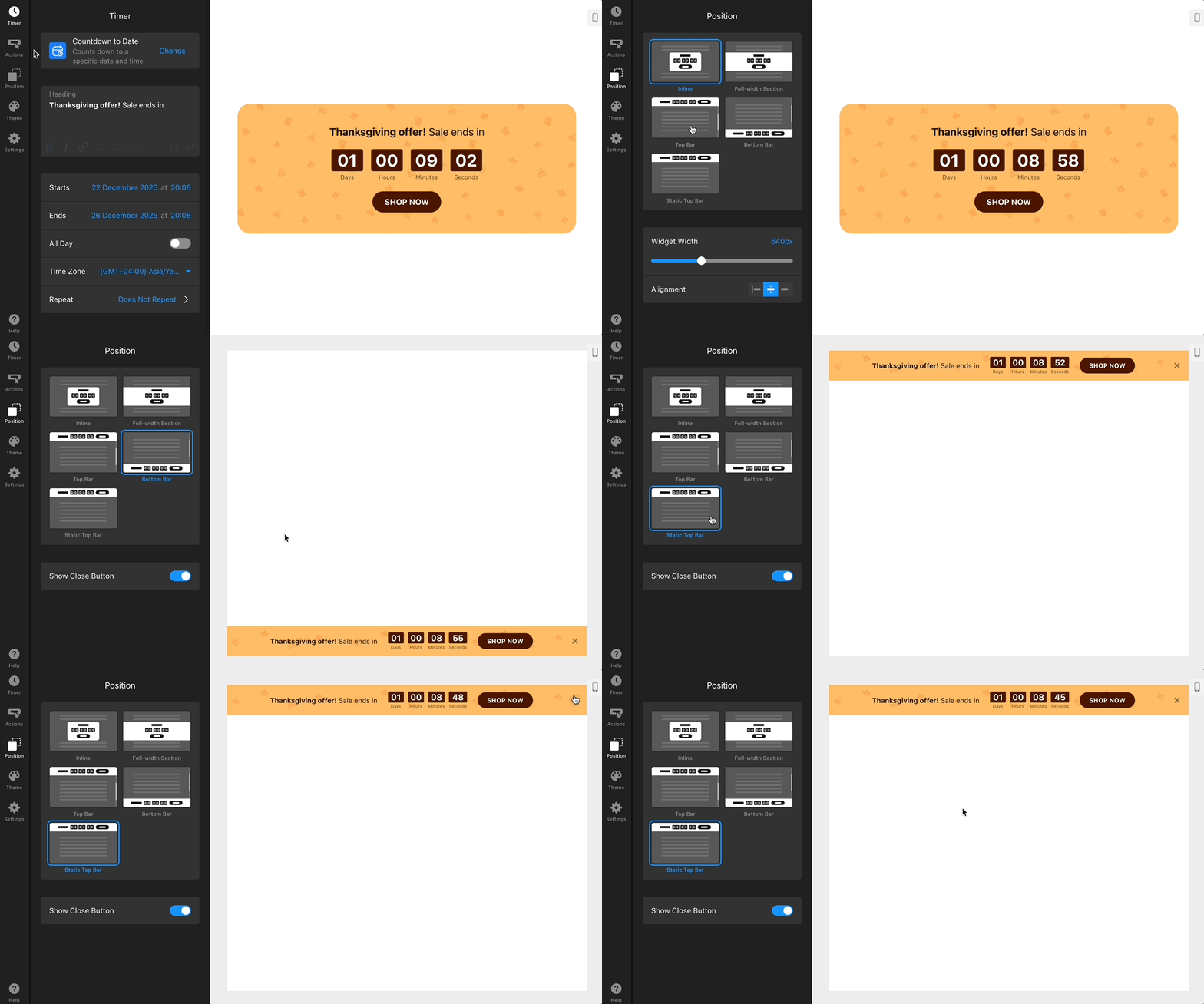
If you suspect the timer has been closed, try opening your website in an incognito or private browsing window. If the widget appears there but not in your regular window, it was likely closed manually.
To prevent this, disable the Close Button in the Position tab:

If all countdown settings are correct and the widget wasn’t closed, the issue is most likely related to your account status or the installation code on your site. Here's what you can do:
- Check your Elfsight Dashboard (the widget may be hidden, deleted, or over the view limit)
- Check your widget installation (ensure the widget code is still in place and not blocked)
Still not showing? Please contact our Support team and include the results of the steps you’ve tried—this will help us resolve the issue faster! 🚀