
Why Some Events Don’t Show Up in Your Event Calendar
Sometimes, you may notice that some events are not displaying in your Event Calendar widget. This article covers common causes behind this behavior and explains how to resolve it.
Troubleshooting steps
Check Event Display Settings
If events are missing, it may be due to event count or visibility settings. In the Layout tab, you can control how many events display on desktop and mobile, depending on the selected view:
 Based on your settings, events may appear all at once or be split across pages, showing Next Events/Previous Events pagination buttons:
 Click the toggles below to view display settings for different layouts:
List, Grid, & Masonry
Here, you can set the number of events or rows to be displayed for both desktop and mobile views in the Events Per Page and Events Per Page on Mobile sections:

Slider layout
For this layout, you can use the Number of Slides setting to control how many slides (and therefore events) are visible: 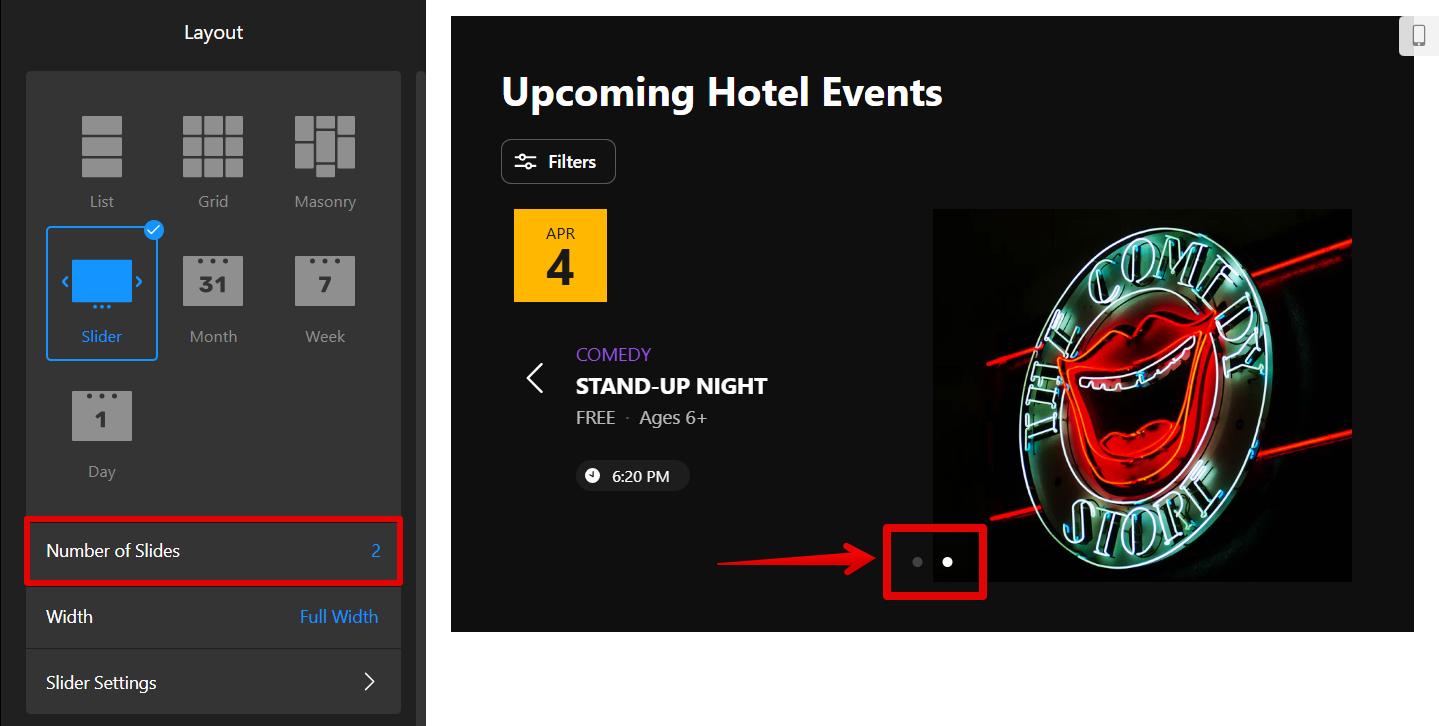
Week & Day
The Week and Day layouts display all events within the selected time frame. If you have events outside this time range, they won’t be displayed: 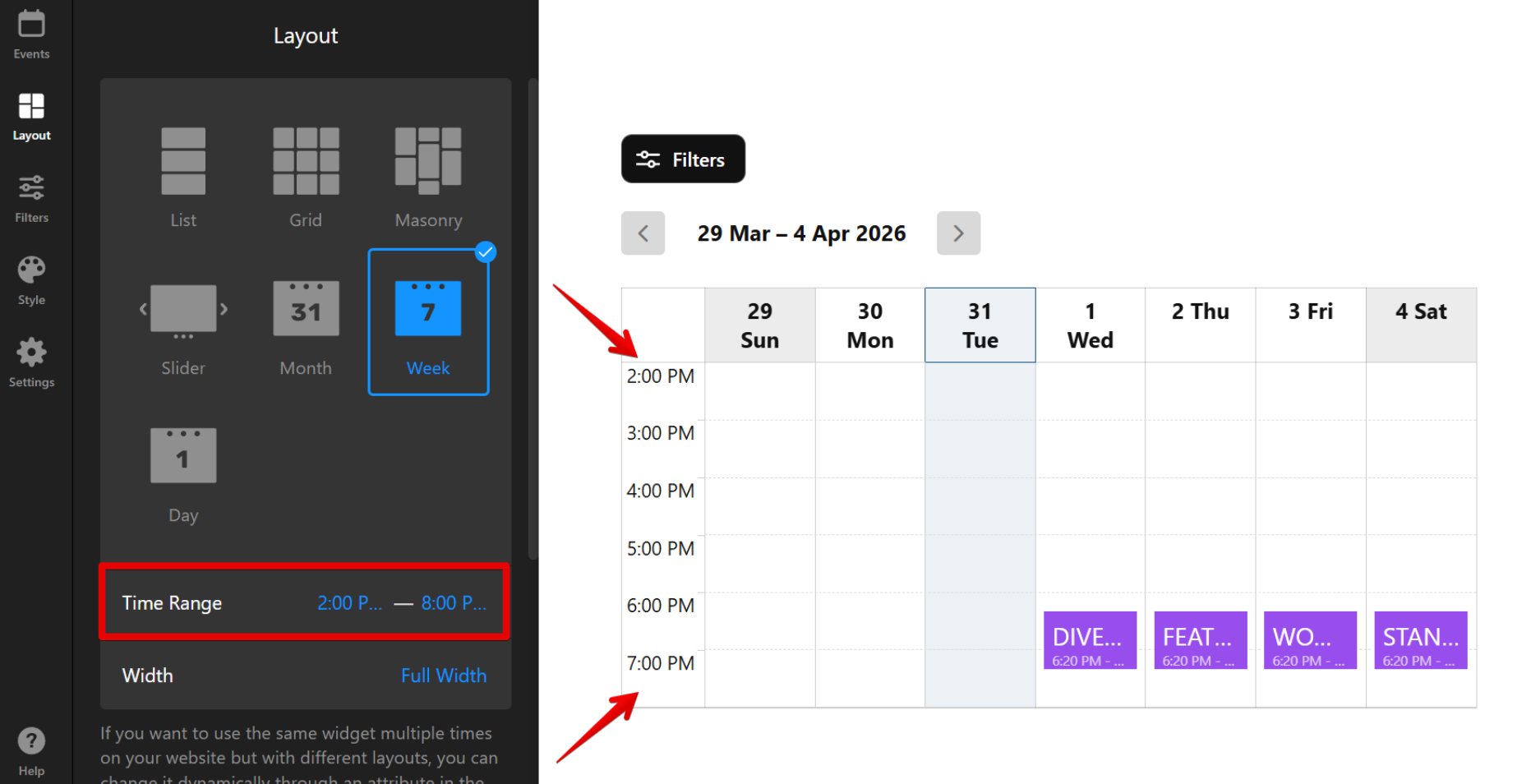
Adjust these settings based on your layout to make sure events appear correctly.
Ensure Past Events are Visible
If past events are missing, they may be hidden by default in the widget settings. To check this, navigate to the Layout tab → Past Events:
 Check if the Show Past Events toggle is enabled. If you’d like to show more events, increase the Number of Past Events to Display:
Review Recurring Events
You can set the event's recurrence in the event settings. Some events might not show if they exceed the maximum number of repetitions allowed:

If you have more than the allowed occurrences, the further events won’t be displayed in your calendar. In this case, you can create a new recurring event to ensure all instances are displayed.
Check Google Calendar Events
If you’re using Google Calendar integration, some events may be hidden due to the event limit.
The Event Calendar widget typically displays up to 100 recent events to prevent performance issues. Based on the selected layout and filters, the widget may show more events.
- List, Grid & Masonry: up to 200 events with filters enabled, or 100 without filters.
- Day, Week & Month: up to 100 events per selected period (e.g., month, week, or day). Events are loaded gradually as each period progresses.
- Slider: up to 100 events in total.
Older events that fall outside the event limit may not appear in the calendar.
Still missing events or have questions? Feel free to reach out to the Elfsight Support Team and provide the following details:
- Your Event Calendar widget installation code
- Any additional information about missing events (name, date, etc.)
We’ll be happy to look into this for you and help you sort it out!💫