
Setting up Call to Action Buttons in Instagram Feed
Add call to action buttons to your Instagram Feed widget and turn views into clicks with custom text and links (like “Buy now” or “Learn more”). Follow the steps below to set this up:
- 1
-
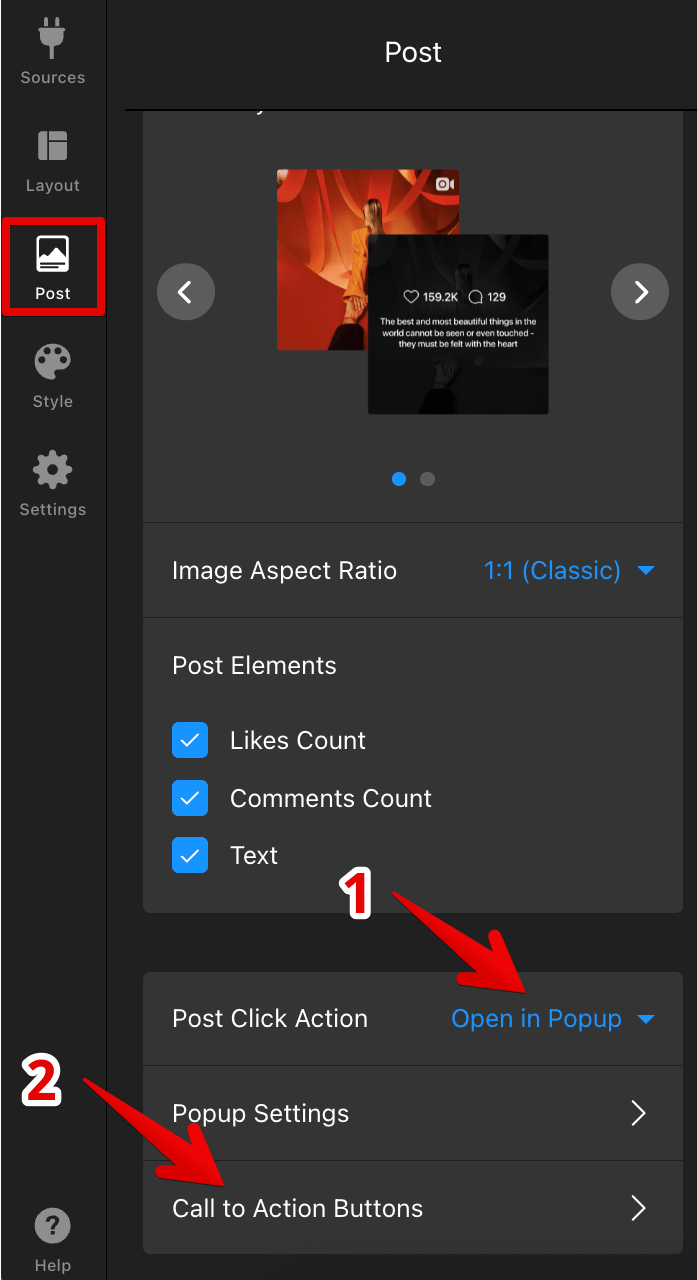
In the Post tab of your widget settings, set Post Click Action to Open in Popup. Then, click Call to Action Buttons:
- 2
-
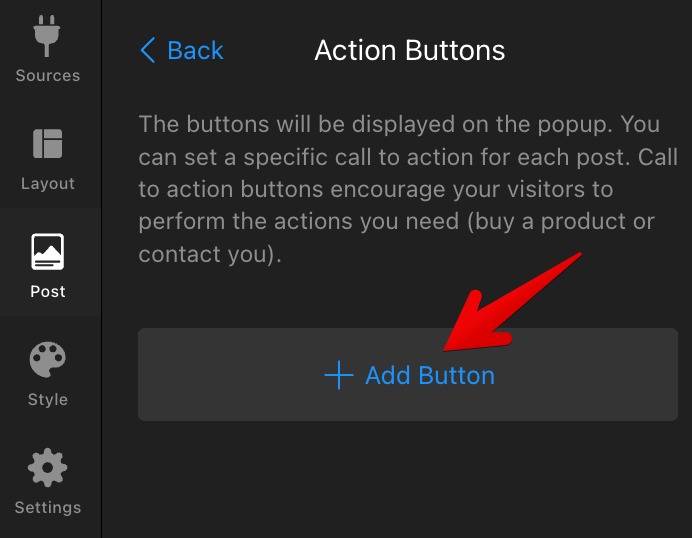
Click + Add Button to create a new call to action button:
- 3
-
Fill in the button details:
- Paste the Instagram post link into Instagram Post URL.
- Add the link you want the button to open in Button URL.
- Enter the button text in Button Label.
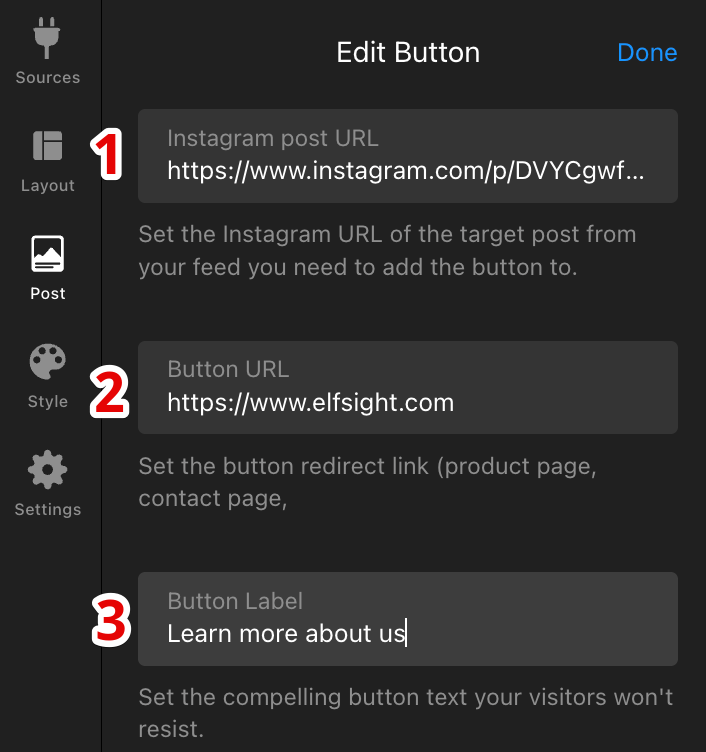
Each button applies to one post only. Repeat the steps to add buttons to other posts. - 4
-
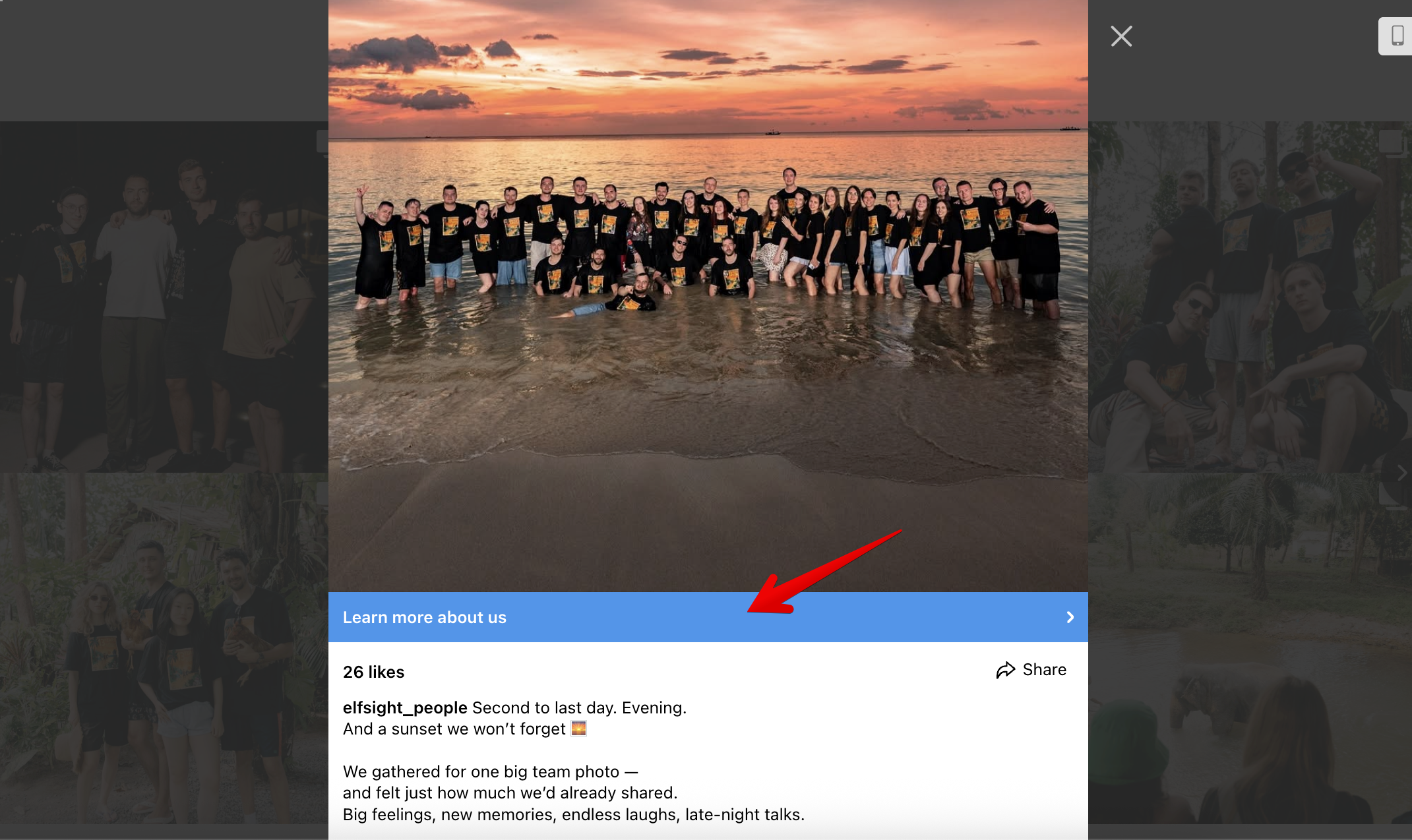
Click Done and Publish to apply the changes. The button will appear in the popup of the selected post:
Nice work! 🎉 You can now use call to action buttons to drive clicks from your Instagram Feed.
If you need any help, feel free to contact our Support team — we’ll be happy to assist! 😊