
Getting Started with the Poll Widget
Create engaging polls with the Elfsight Poll widget! In this guide, we’ll show you how to easily set up your Poll widget in just a few minutes. 🚀
In this article
Setting Up Your Poll
Start by creating your poll and customizing its design. There are three tabs in the Poll widget editor: Poll for your question and answers, Theme for design, and Settings for widget behavior.
Creating and Designing Your Poll
In the Poll tab, type your question and add the answer options visitors can vote for:

In the Theme tab, customize the colors, background, and fonts to match your website's branding:

Managing Poll Behavior and Display
In the Settings tab, you can control what happens after visitors vote and how the results are displayed:

- 1
-
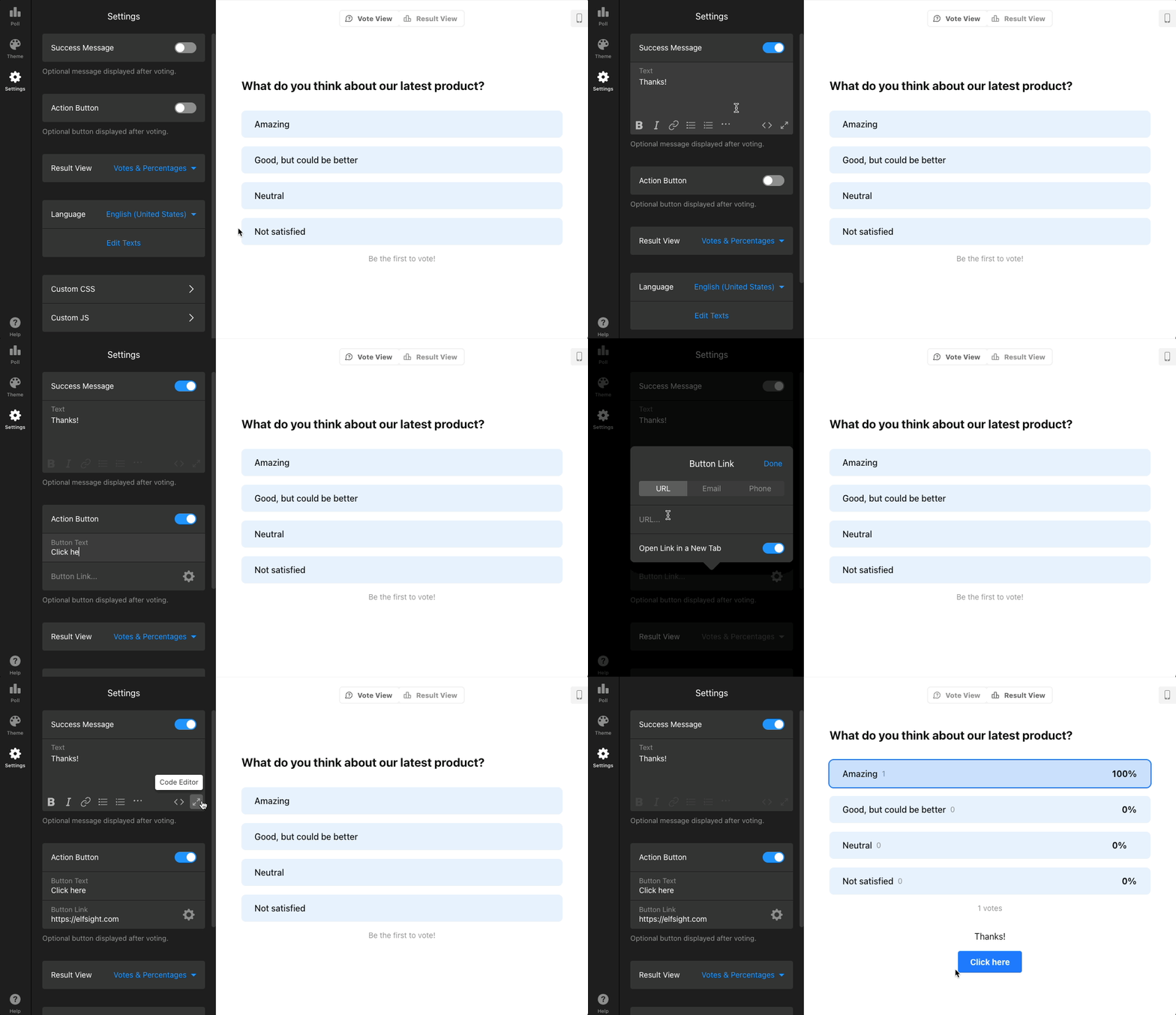
Success Message & Action Button — Show a message after voting and add a button to redirect users to a page or open a contact option:
- 2
-
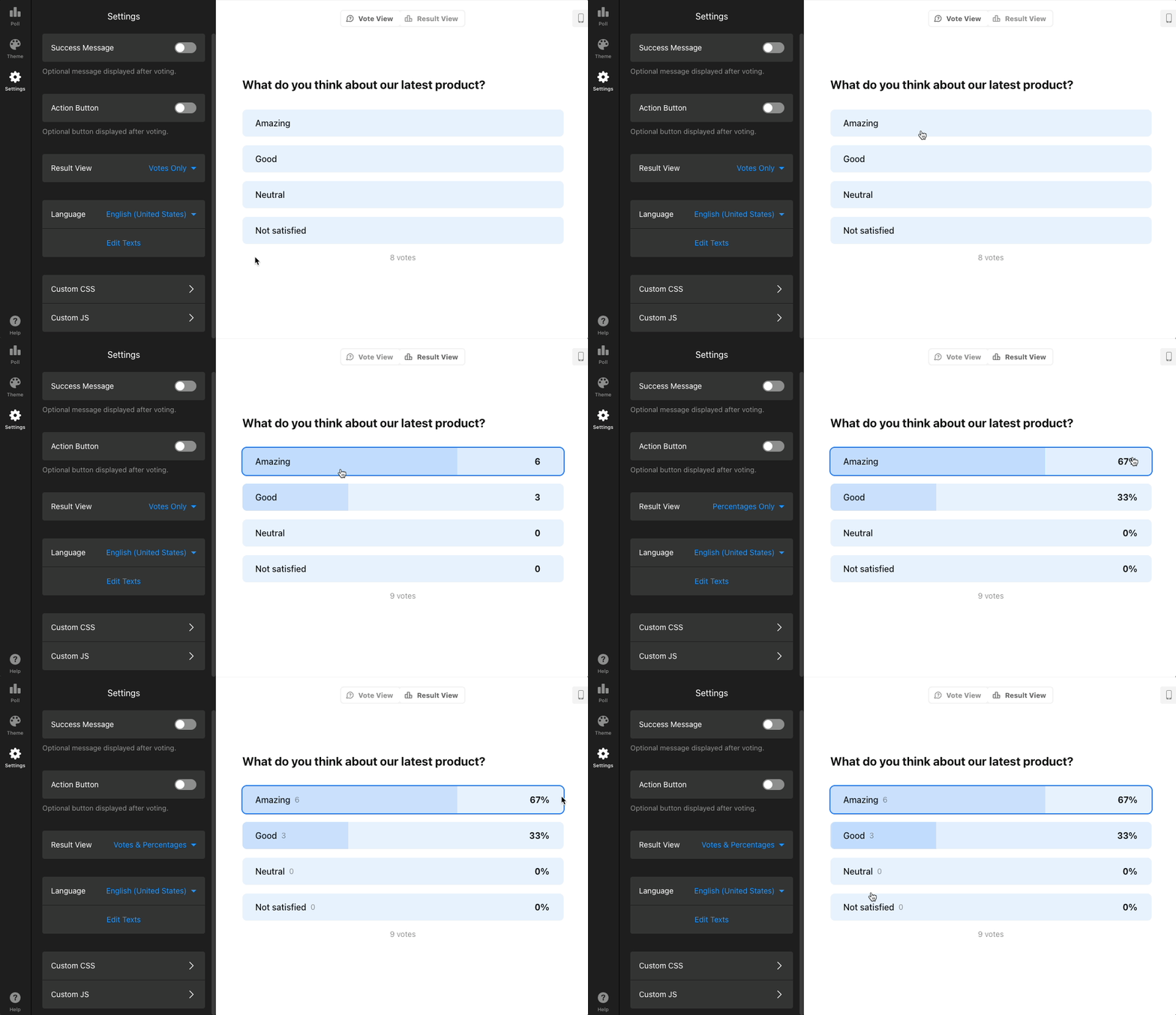
Result View — Choose whether to display vote counts, percentages, or both:
- 3
-
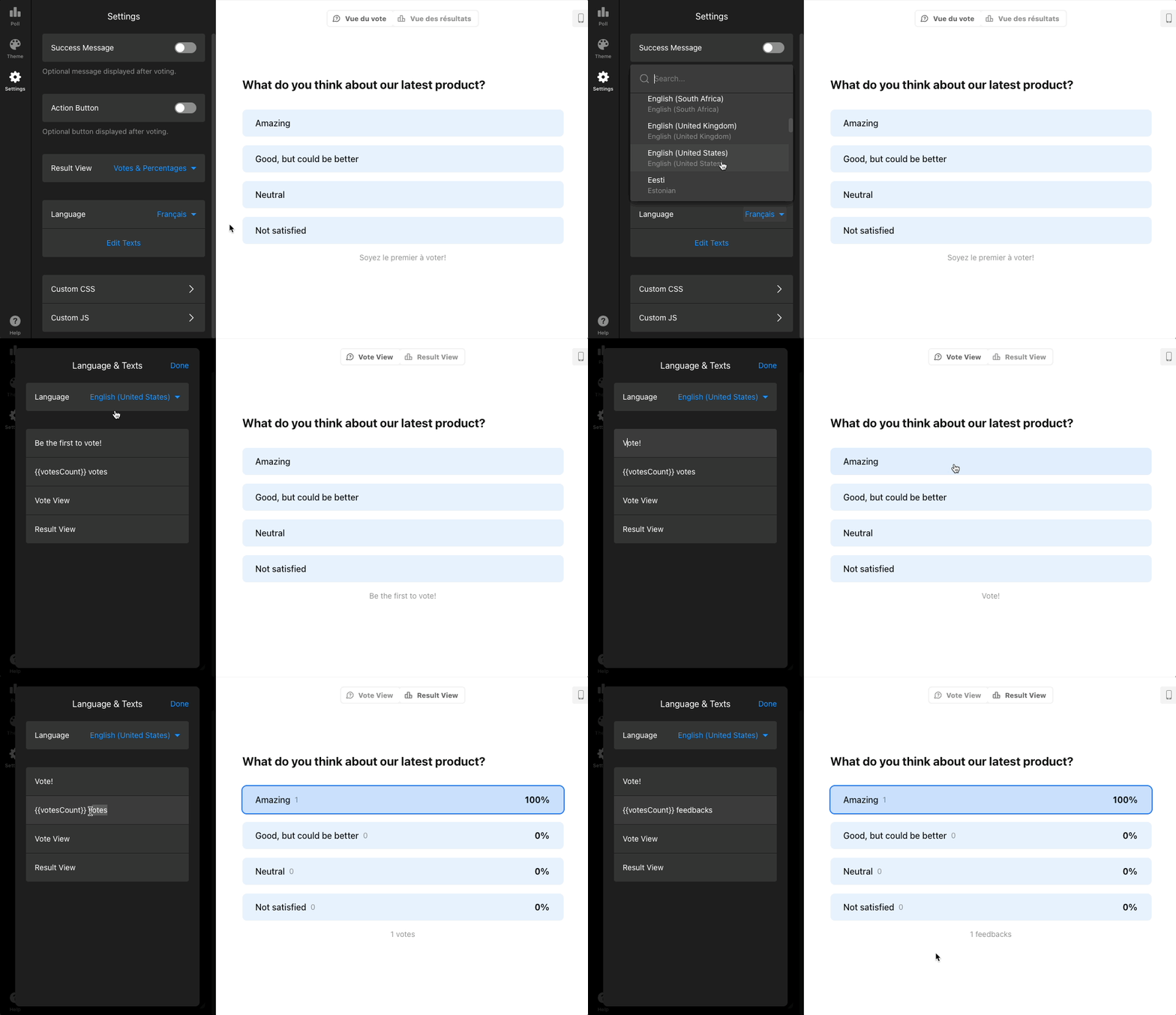
Language — Set the language for the widget’s elements or customize text using the Edit Texts option:
- 4
-
Custom CSS & Custom JS — Add custom JavaScript and CSS for additional customization.
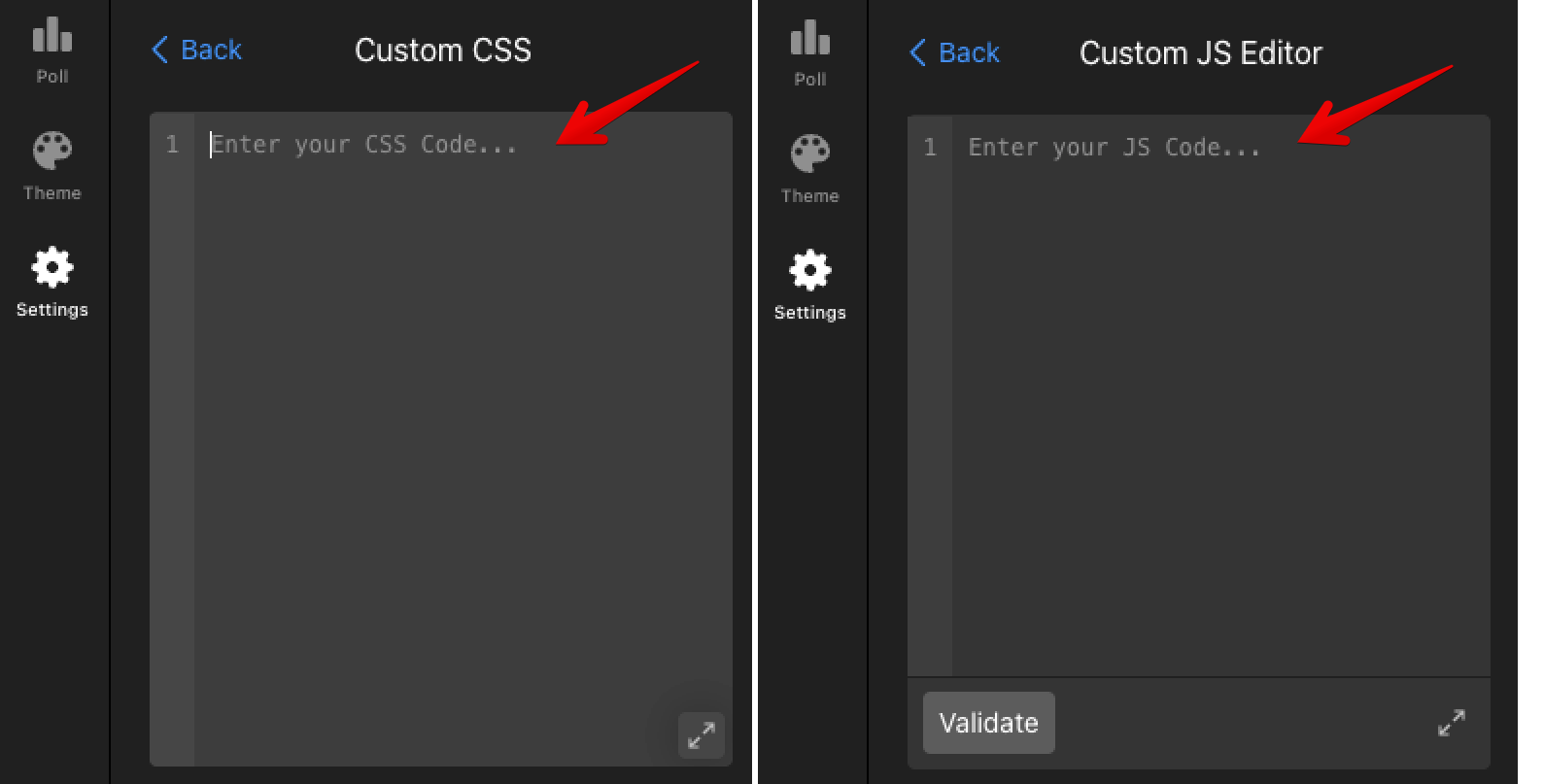 If you need a design option that isn’t available, you can customize the widget with your own code. Check out our Guide to CSS Codes for Elfsight Widgets. 🙌
 If you need a design option that isn’t available, you can customize the widget with your own code. Check out our
 Have questions or need help? Our Support Team is always ready to assist you – feel free to get in touch! 😊
Frequently Asked Questions
Do my votes count?
Only votes submitted in the live widget are counted. Votes made in the widget editor are not saved.
Can I reset votes?
The Poll widget does not have a built-in option to reset the vote counter. If you want to reset votes for a published widget, please contact our Support team and we’ll help you out.
You can also vote for this feature in our Wishlist.
Can people vote more than once? Does the widget remember visitors by IP?
The widget remembers votes in the visitor’s browser. If the same person opens your site in a different browser or in an incognito window, they can vote again.
If you would like to limit votes by IP address, you can support this feature request.
Can I show the Poll in a popup?
The Poll widget doesn't have a built-in popup layout. However, you can embed it inside our Popup widget to display it in a popup window.
You can also follow the dedicated feature request for a native popup layout in the Poll widget.