
Troubleshooting Schema Markup Issue on WordPress
If Schema Markup for your Elfsight widget isn’t detected on your WordPress site, it may be due to the WP Rocket caching plugin. This guide explains how to identify and resolve the issue without disabling WP Rocket.
In this article
Is WP Rocket Affecting My Widget?
WP Rocket’s lazy load feature may prevent Google from seeing the widget's Schema.org markup, which is necessary for rich snippets to appear in search results.
You can determine that the widget is affected by the WP Rocket by inspecting the installation code in the Developer Console (Ctrl + Shift + J for Windows, or Cmd + Option + J for Mac).
The modified code will include alterations like data-rocket="executed" or data-minify.
⬇️ Widget Code Affected by WP Rocket

⬇️ General Widget Code (Not Affected)

Fixing Schema Issues When Using WP Rocket
If you've confirmed that WP Rocket is affecting the widget, you need to add our scripts to WP Rocket's exclusions to resolve the issue. Follow these steps:
- 1
-
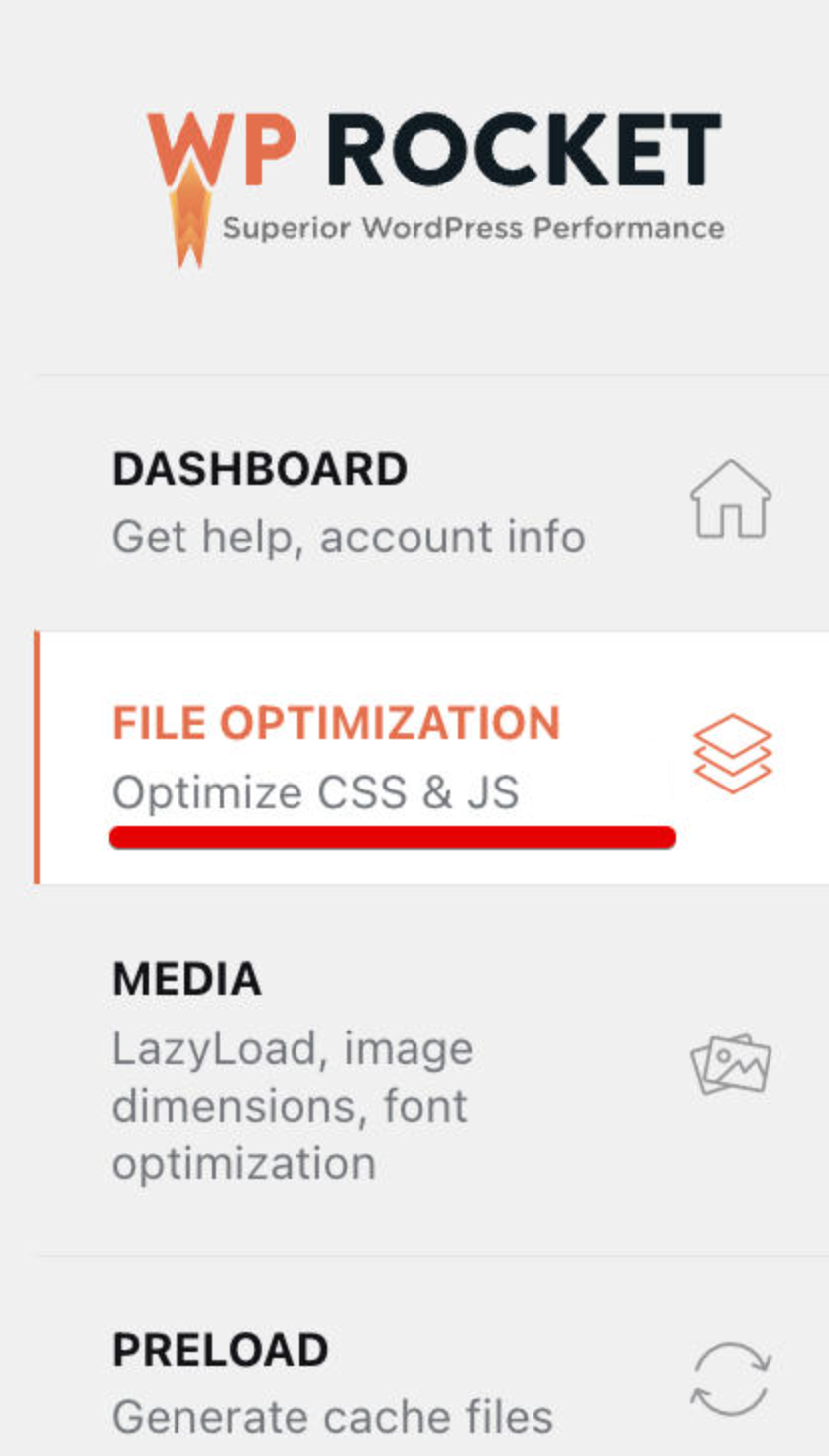
Open WP Rocket settings and navigate to the File Optimization tab:
- 2
-
Check if Minify JavaScript Files is enabled. If it is, add the following Elfsight scripts to the Excluded JavaScript Files:
- apps.elfsight.com/p/platform.js
- static.elfsight.com/platform/platform.js
- elfsightcdn.com/platform.js
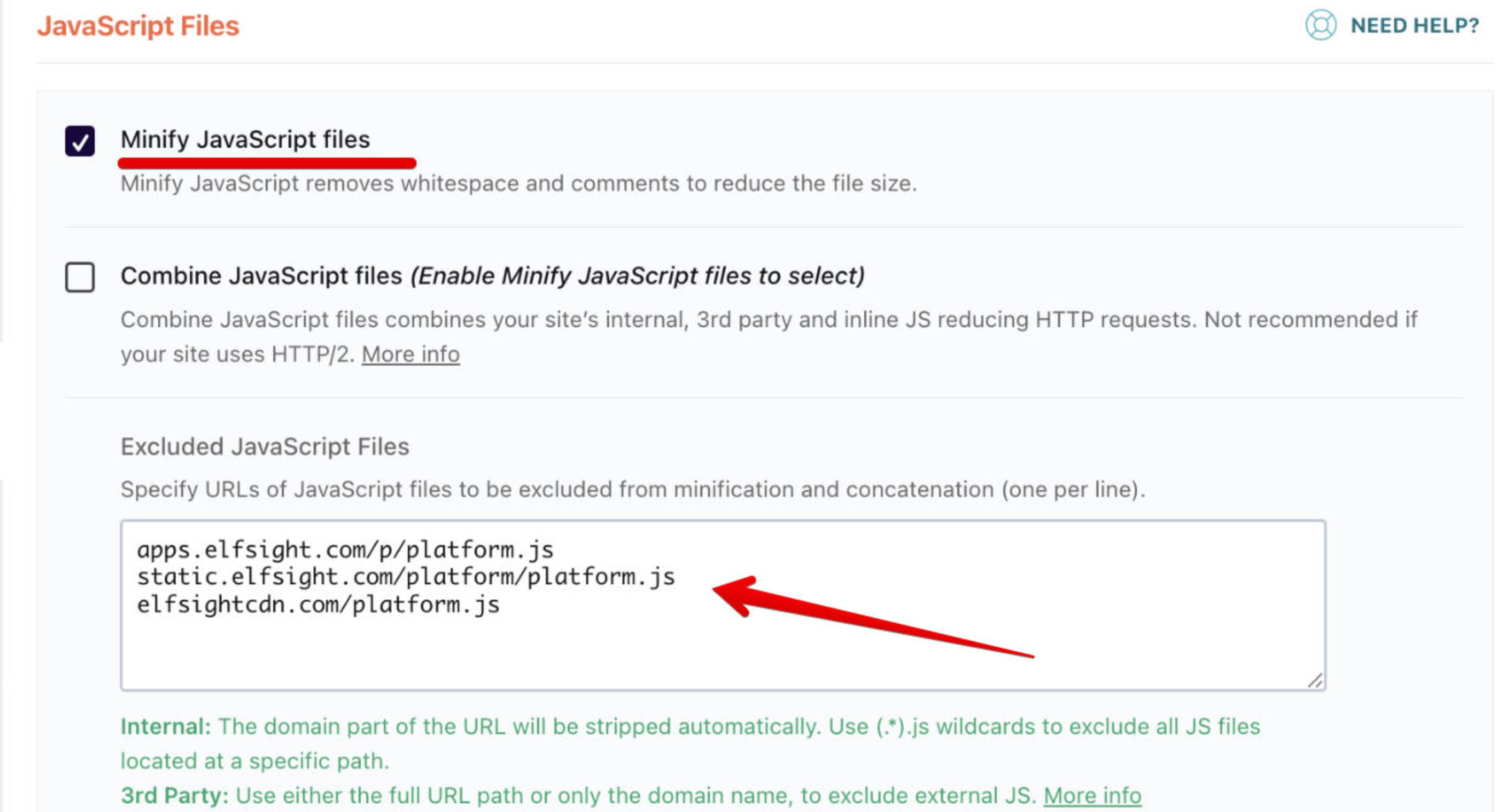
This will prevent WP Rocket from minifying these critical scripts, ensuring they function properly on your site.
- 3
-
Scroll down and check if Load JavaScript Deferred is enabled. If it is, add the same Elfsight scripts to the Excluded JavaScript Files:
- https://apps.elfsight.com/p/platform.js
- https://static.elfsight.com/platform/platform.js
- https://elfsightcdn.com/platform.js
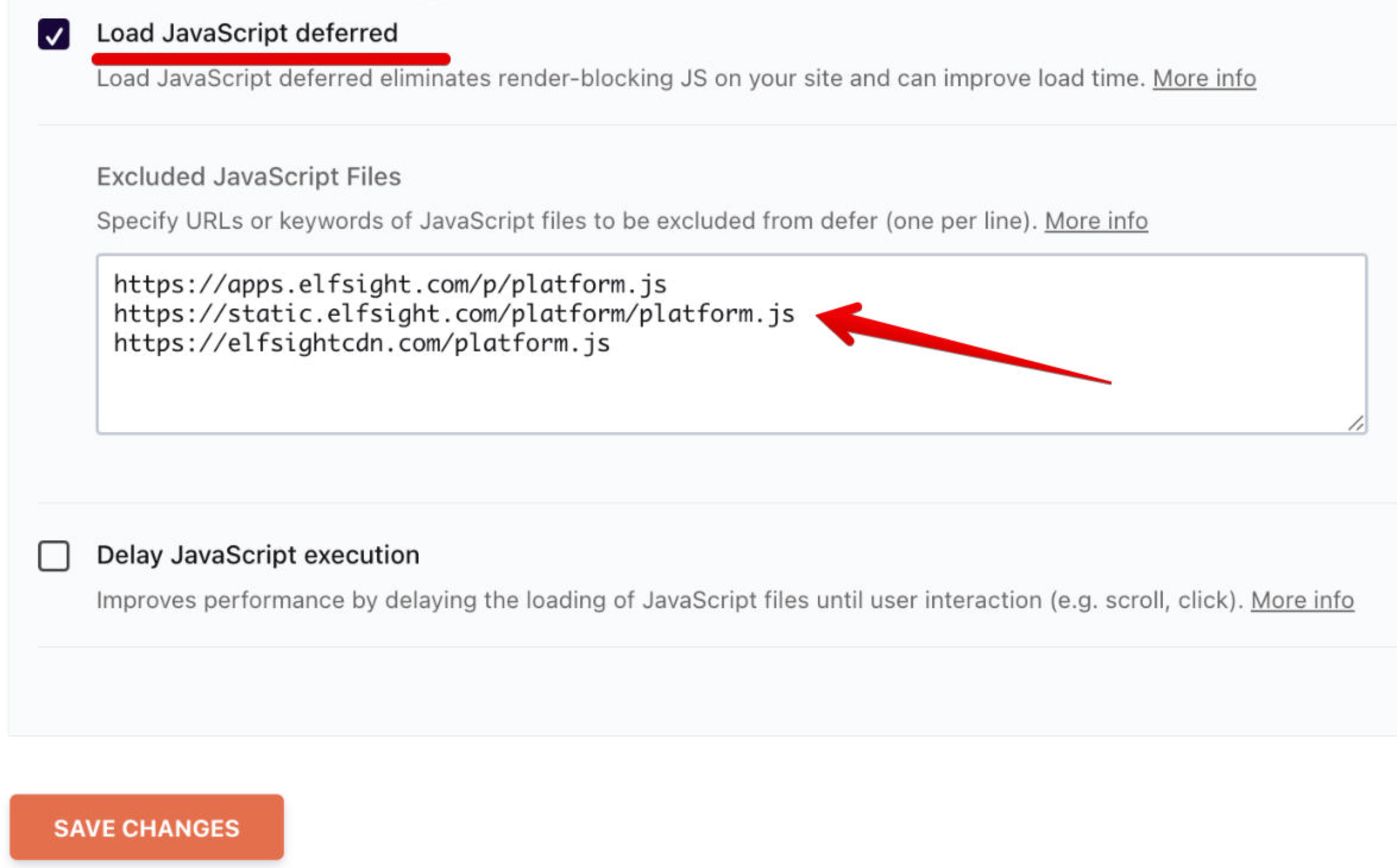
This will allow Google to detect the Schema Markup without interference from WP Rocket's lazy load.
- 4
-
After excluding the scripts, clear the cache from the following:
- Your WordPress theme
- Your WP Rocket plugin
- Your server
- Your CDN (such as Cloudflare)
- 5
- After clearing the cache, use the Rich Results Test to confirm that Google detects the Schema Markup correctly. This tool lets you check if Google can recognize the structured data on your page.
Now you know how to fix the Schema Markup detection issue caused by WP Rocket on your WordPress site! However, if you continue to experience any issues, feel free to reach out to our Support Team — we're here to help! 🙌