
Combining Multiple Sources in All-in-One Reviews Widget
You may already know that we offer various Review widgets where you can display only one source.
If you’d like to show reviews from multiple platforms in one widget, or add several sources from the same platform, our All-in-One Reviews widget is the right choice! It supports 60+ review platforms, including Google, Yelp, Facebook, and more:
In this article
Combining Multiple Sources from the Same Platform
- 1
-
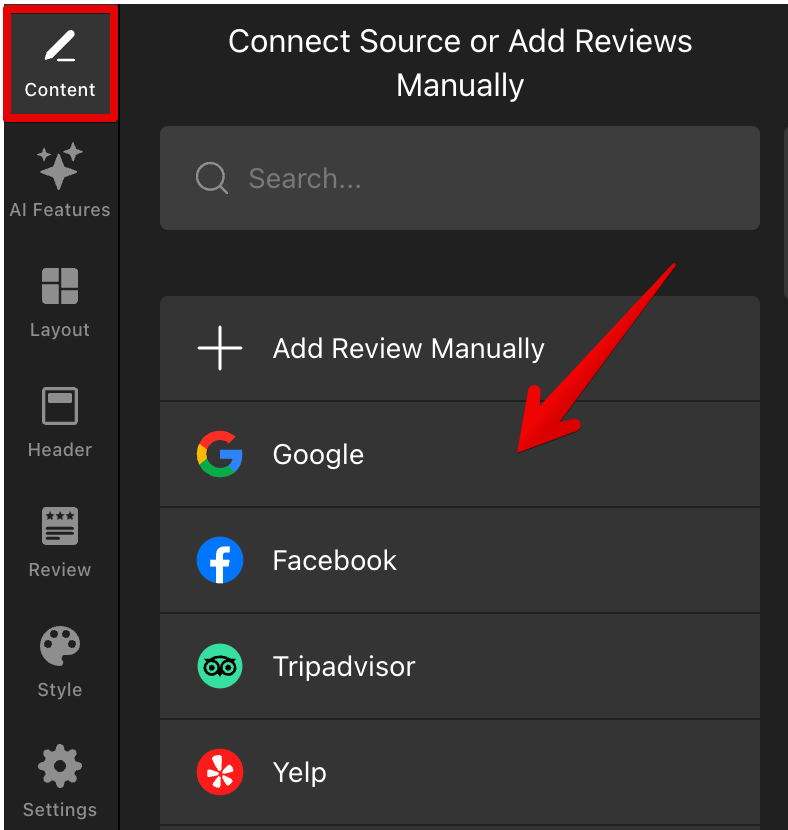
Let’s use Google as an example. Open your widget settings on the Content tab and select Google from the list of available sources:
- 2
-
Add your first Google source, click Search, and then Done:
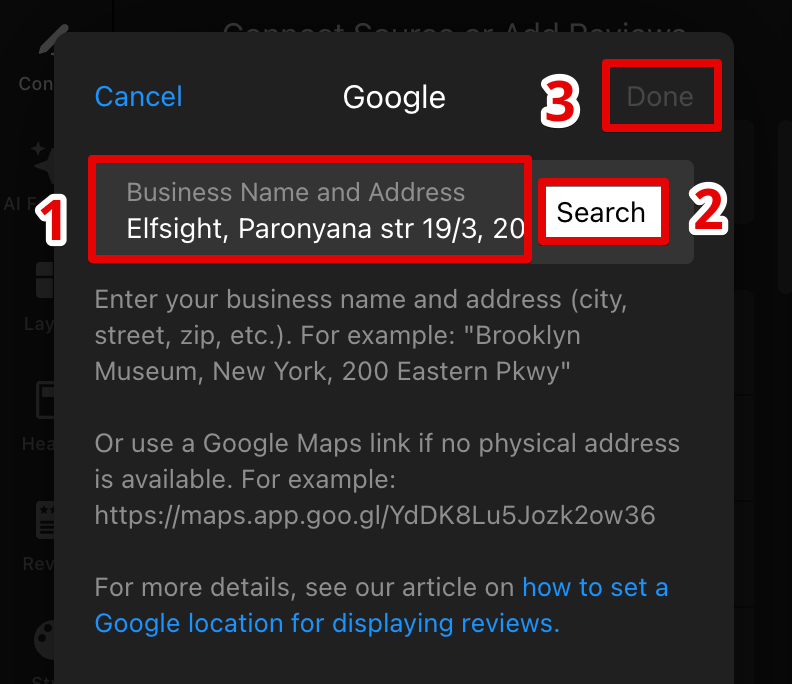
Feeling stuck adding your Google reviews? Follow this guide for detailed instructions: Adding your Google reviews to Elfsight widget. - 3
-
Once the reviews are collected, click + Add Source and add another Google source by following the same steps as before:
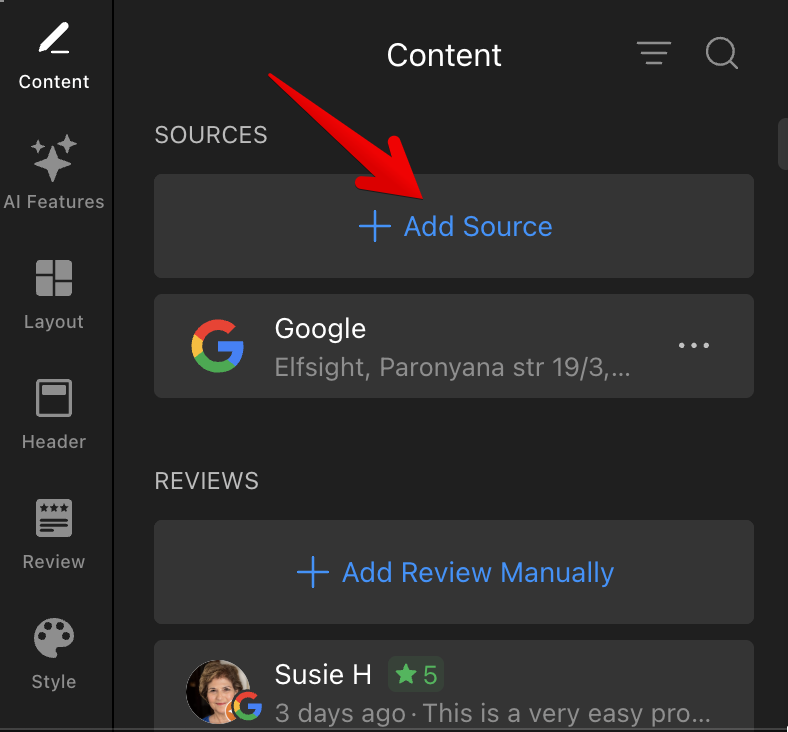
Congratulations! Now you know how to showcase reviews from the same platform in a single widget: 
You can also merge multiple sources from the same platform into a single tab. Go to the Header tab and toggle on Group Sources by Platform:
Adding Sources from Different Review Platforms
If you have reviews on different platforms (for example, Google and Tripadvisor), simply select the required platforms from the list of available sources.
Feel free to use the Search option to check if the widget supports the platform you need:
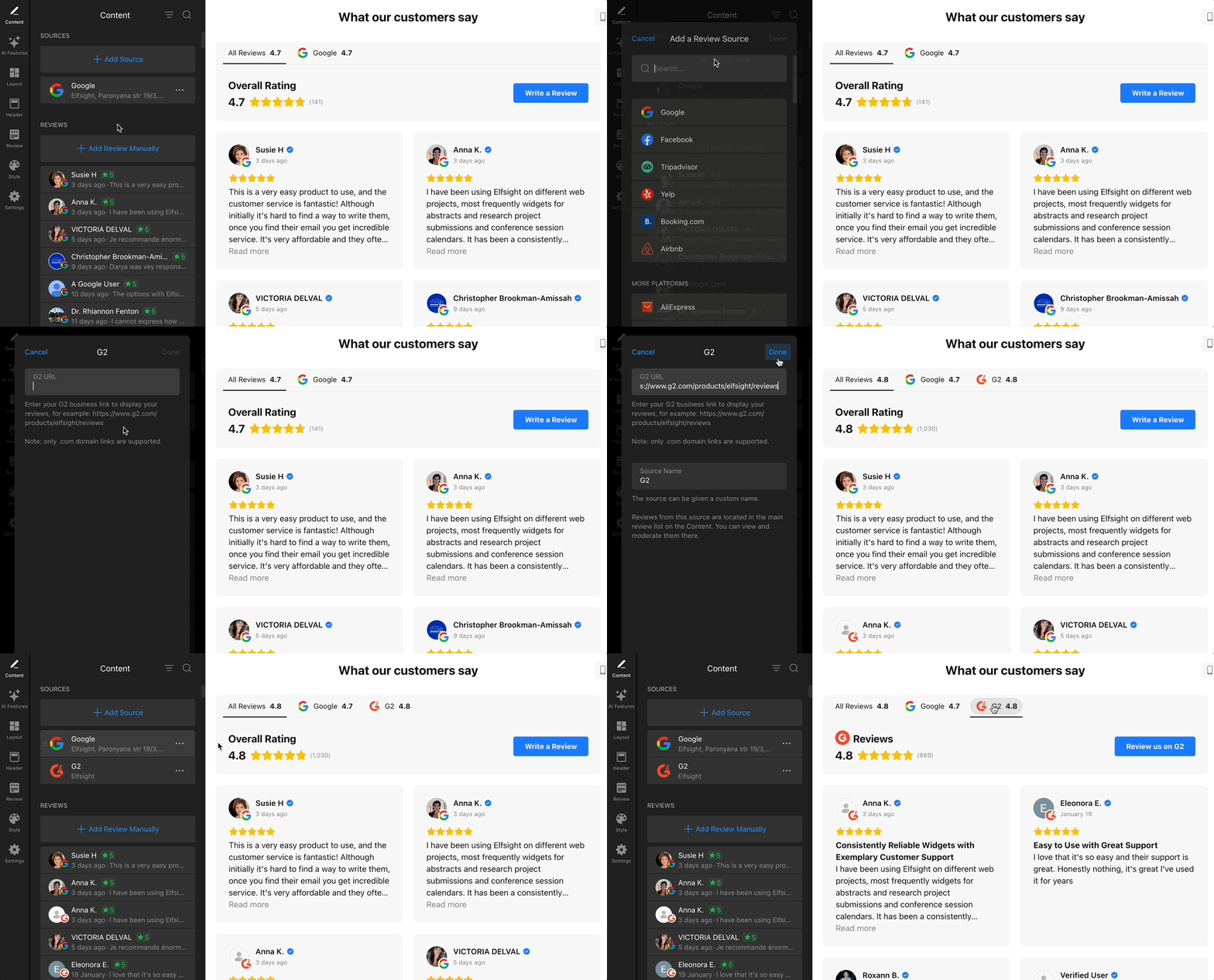
When adding a source, make sure to follow the link format guidelines carefully. Incorrect links may prevent the widget from collecting your reviews: 
That’s it! Now you know how to combine multiple review sources in your All-in-One Reviews widget. If anything is unclear or you run into issues while setting things up, feel free to contact our Support team — we’ll be happy to help! 🤗
FAQ
What if I don’t see my platform in the list of available sources?
Some platforms don’t allow automatic review collection due to technical or policy limitations. If you don’t see the platform you need, you can request it in our Wishlist. Your requests help us decide which integrations to build next.
As an alternative, you can manually add reviews that aren’t supported by automatic import. See our guide to learn more: Manually adding reviews to your widget.
Can I import reviews from platforms that are not supported?
At the moment, automatic import from unsupported platforms isn’t available. However, you can request this functionality as a feature for the Custom Source in our Wishlist.
In some cases, our developers may be able to upload reviews for you as a one-time import. If you need this, please contact our Support team with details about the platform and the number of reviews. We'll check what's possible and let you know.
Can customers add their own reviews directly to the widget?
Yes. Customers can submit reviews by clicking the Write a Review button in your widget. Learn how to enable and customize this feature here: Setting up the “Write a Review” button.